How do I submit a Subcontractor Bill of Quantities for a Procore commitment?
Background
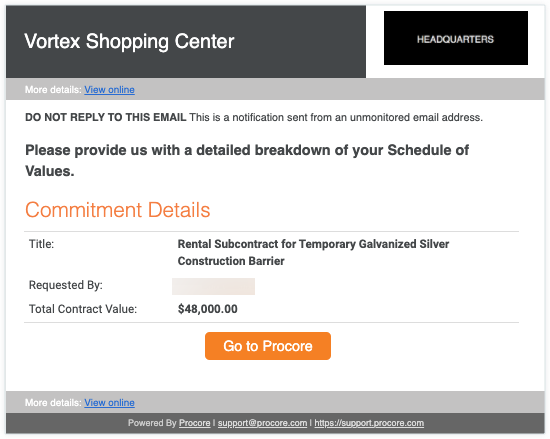
If you are an payment application contact who has been invited to provide a detailed breakdown of your Bill of Quantities on a commitment, a Procore user (typically, an payment application administrator) sends you an invite by email. The detailed breakdown is called a Subcontractor Bill of Quantities. See What is a Subcontractor Bill of Quantities? The invitation resembles the example pictured below. Do NOT send an email reply to this message, as it comes from an unmonitored email address. Instead, follow the steps in the Answer below to gain access to the commitment in the Procore web application.
Note
Before a Procore user can invite you to submit your Subcontractor Bill of Quantities, that user needs to ensure that you Procore user account has been granted the 'Required User Permissions' detailed in Submit a New Payment application as a Payment Application Contact.
Answer
If you have been designated as the payment application contact on a commitment, you might receive an email message that resembles the one pictured below. Typically, it is sent to you by a payment application administrator.
Tip
Can't find the email message? Search your email program for an email message from procoretech.com. The subject line of the email is formatted as" "[Procore User Name] invites you to break down your Bill of Quantities for this commitment.To open the commitment in your computer's web browser, choose from these options:
- Click the View Online link next to 'More Details' at the top or bottom of the email message.
OR - Click the Go to Procore button in the email message.
Notes
- If you are not logged into Procore, you must enter your Procore login credentials before you are directed to the Subcontractor Bill of Quantities tab in the appropriate commitment.
- If this is your first time logging in to Procore, you must Join Procore from the Welcome to Procore Invite sent to you by your client.
- If you are unable to log in, see Why can't I log in to Procore?
See Also
- What is a Subcontractor Bill of Quantities?
- Update a Subcontractor Bill of Quantities as a Payment Application Contact from the Commitments Tool
 .
.