

What is the 'Replace Item' feature in the Estimating tab?
Answer
The Replace Item feature is a tool within the Estimating tab that allows users to easily swap out an existing line item in their estimate for a new one from the cost catalogue. This is useful when you need to change a material or service on an existing estimate.
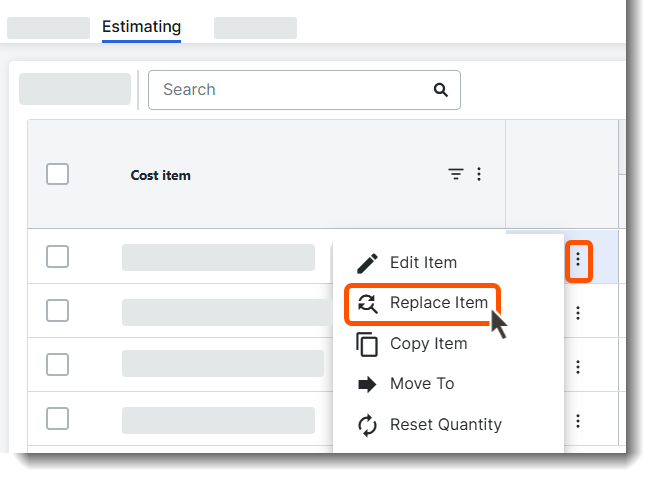
Why don't I see all cost catalogue items when I use 'Replace Item'?
The system employs a smart filter based on the Unit of Measurement (UoM) of the original item to ensure compatibility and prevent errors in your estimate. It will only display items that share the exact same UoM as the item you are replacing.
However, items in the cost catalogue that have a UoM of NONE are considered universal and will always appear as replacement options, regardless of the original item's UoM.
If the item I need is not appearing in the cost catalogue, what should I check?
- Check the Unit of Measurement (UoM): The most common reason an item is missing is a UoM mismatch. Ensure the desired replacement item has the exact same UoM. For example, both are 'sq ft,' not one is 'sq ft' and the other is 'sq. ft'.
- Review your Cost Catalogue: Verify that the item exists and is active in your master cost catalogue. If it's missing entirely, you must first add it to the catalog.